Deck
ROI dashboard for agent sessions. Track costs, tokens, and outcomes with richer metrics and modern TUI visuals.
Overview
The Deck TUI surfaces session summaries with cost-weighted token charts, period comparisons, and drilldown views for detailed analysis.
tapes deckMetrics
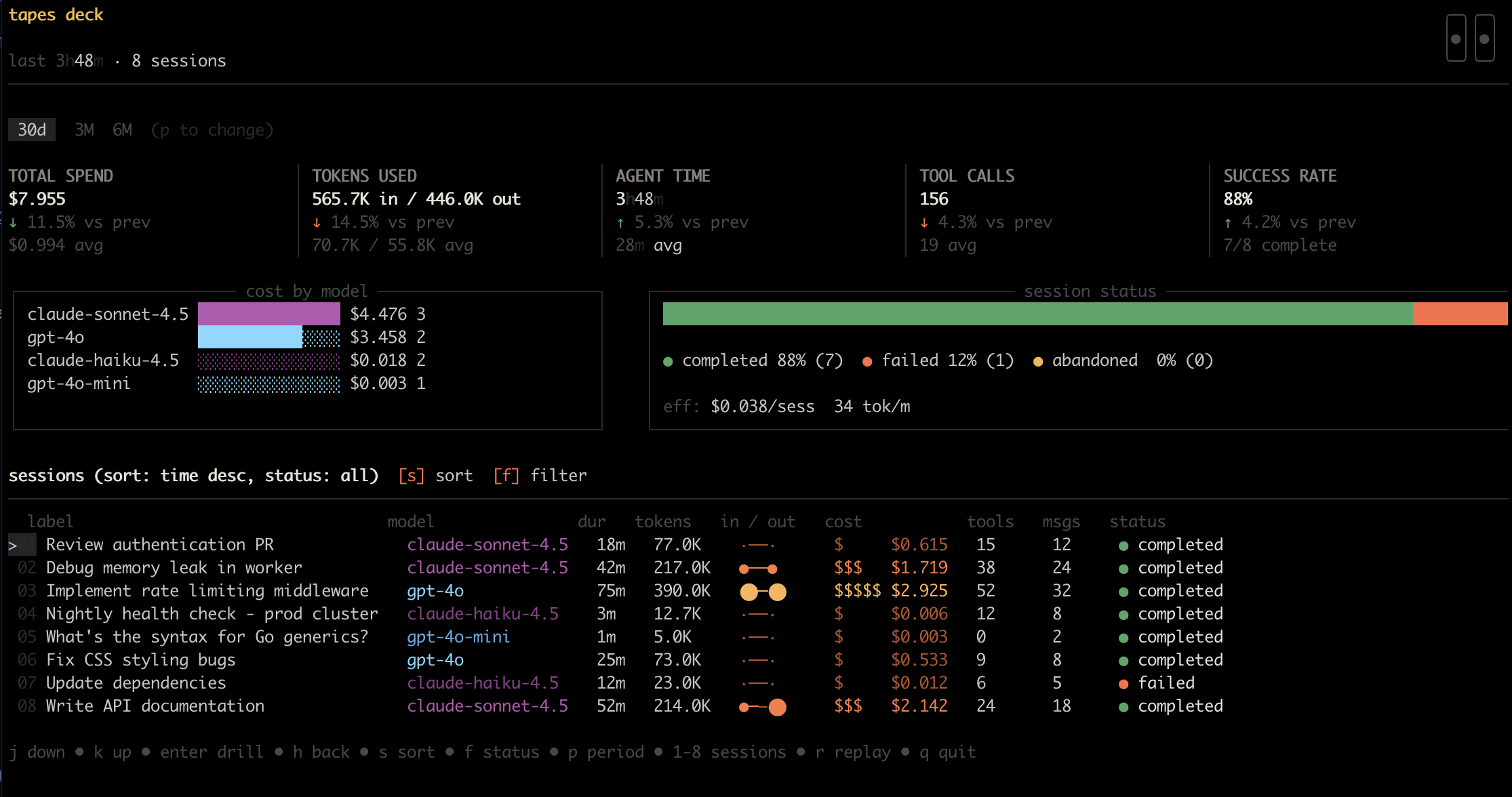
Period comparisons, project tracking, efficiency metrics, and tool usage at a glance.
Demo Data
Seed a demo database and open Deck with sample sessions.
# Seed demo data, then launch Deck
tapes seed --demo
tapes deck

# Shorthand for seeding
tapes seed -m
Demo sessions are seeded through the API into your Postgres store (no separate demo database file).
Session Drilldown
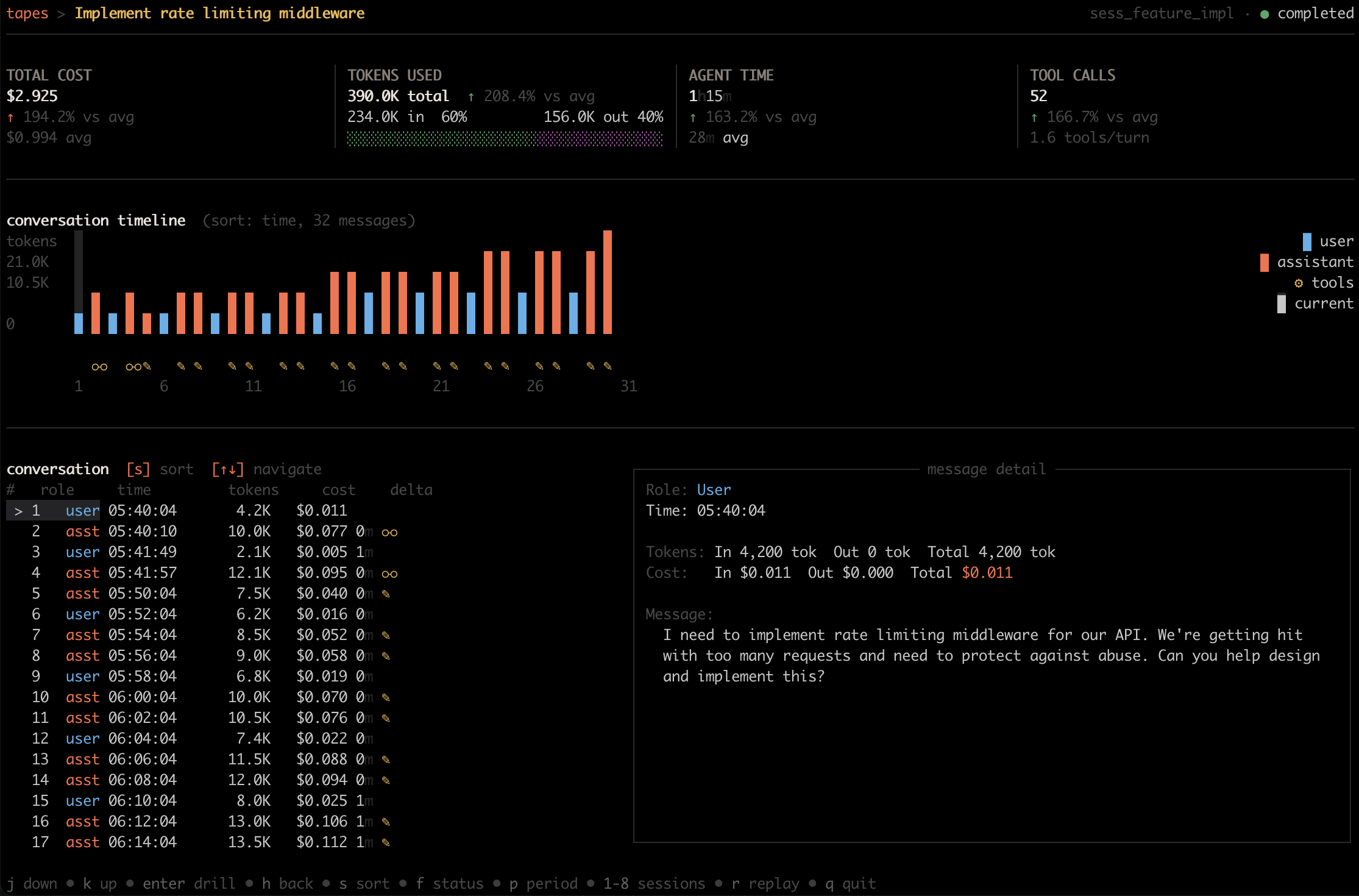
When you select a session, the drilldown view shows a split layout with the conversation timeline and minimap on the left and turn details on the right. Deck reads the session's traces and spans, so you can step through each turn to see metadata, token counts, and content.
Examples
# View with period selector
tapes deck --since 720h

# Sort by date descending
tapes deck --sort date --sort-dir desc

# Filter by status
tapes deck --status failed

# Filter by project
tapes deck --project my-app
Browser web UI
Prefer a browser view of a session? The API server ships an optional web UI at / for browsing sessions and their turns, off by default:
tapes serve --api-web-ui --postgres "$DSN"Terminal Compatibility
Deck auto-detects your terminal's color capabilities and background theme. For terminals where detection fails (tmux, screen, SSH sessions), use the --theme flag to override:
# Force dark theme
tapes deck --theme dark

# Force light theme
tapes deck --theme light
Color Support
Deck gracefully degrades across terminal capabilities:
- TrueColor terminals: Full 24-bit color palette (iTerm2, Ghostty, modern terminals)
- ANSI256 terminals: Hand-picked fallback colors for older terminals
- NO_COLOR: Set
NO_COLOR=1to disable colors entirely
See no-color.org for the NO_COLOR standard.
CLI Reference
For all flags and options, see the deck command reference.